Practicing File Operations in the Terminal
This particular exercise gave me quite a hard time, but I'm grateful for the experience because I learned quite a lot from it.
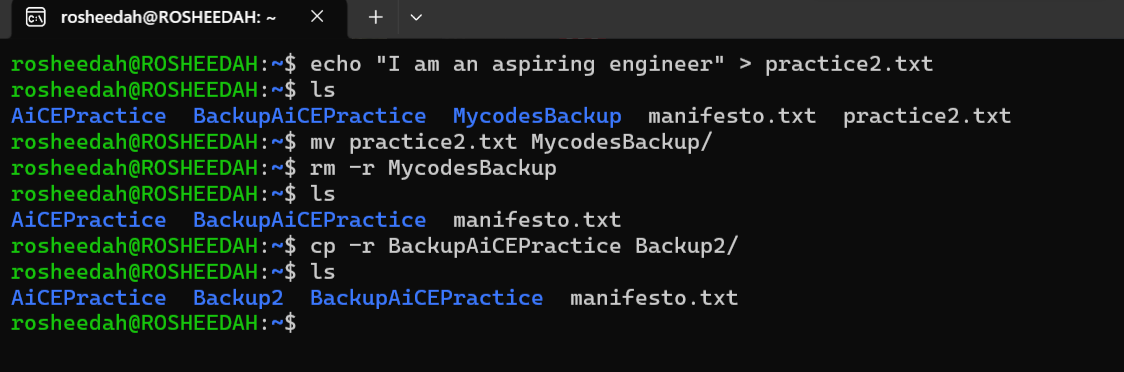
I started with copying a directory using cp -r. This was relatively easy, and I didn't encounter any problems with it. The -r flag allows the command to copy a directory and its contents recursively.
Moving a file with mv was where things became a little challenging. I initially kept getting an error that the file did not exist. After several attempts, I realised that I was trying to access the file from the home directory when it was actually located in another directory. I eventually decided to create another file directly in my home directory, which made it easier to move the file into one of my existing directories.
Finally, I deleted a directory using rm -r. I learned that the -r flag is necessary when removing a directory and its contents recursively.
This exercise taught me to pay closer attention to file locations and the directory I'm currently working in.