Finding My Way Around the Terminal
This exercise helped me understand how to find my way around the terminal and move between different directories.
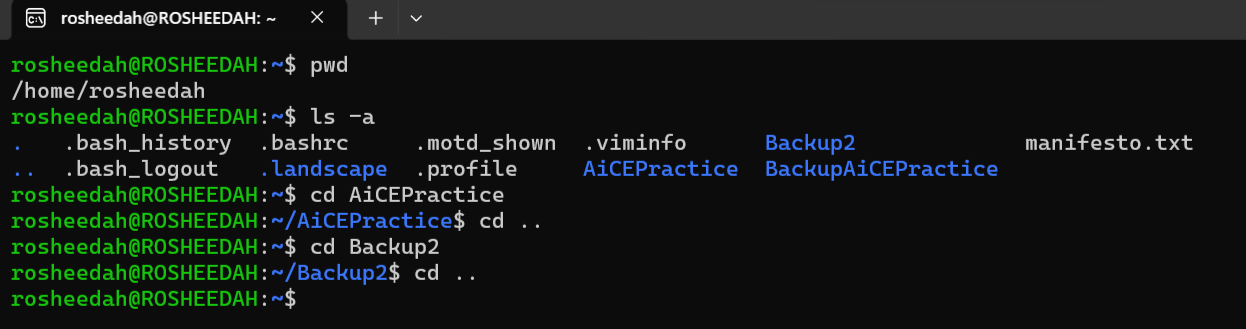
I started by using the pwd command to display my current location. This showed me the full path of the directory I was working in.
Next, I used ls -a to list all the contents of the directory, including hidden files and folders. I learned that the -a flag makes it possible to display hidden contents as well.
After that, I practised navigating between two different directories using the cd command. Each time I entered a directory, I used cd .. to return to my original starting location before entering the next one.
I'm gradually becoming more comfortable using the terminal and understanding how to navigate the file system without relying on the graphical interface. 🫢