
Practicing File Operations in the Terminal
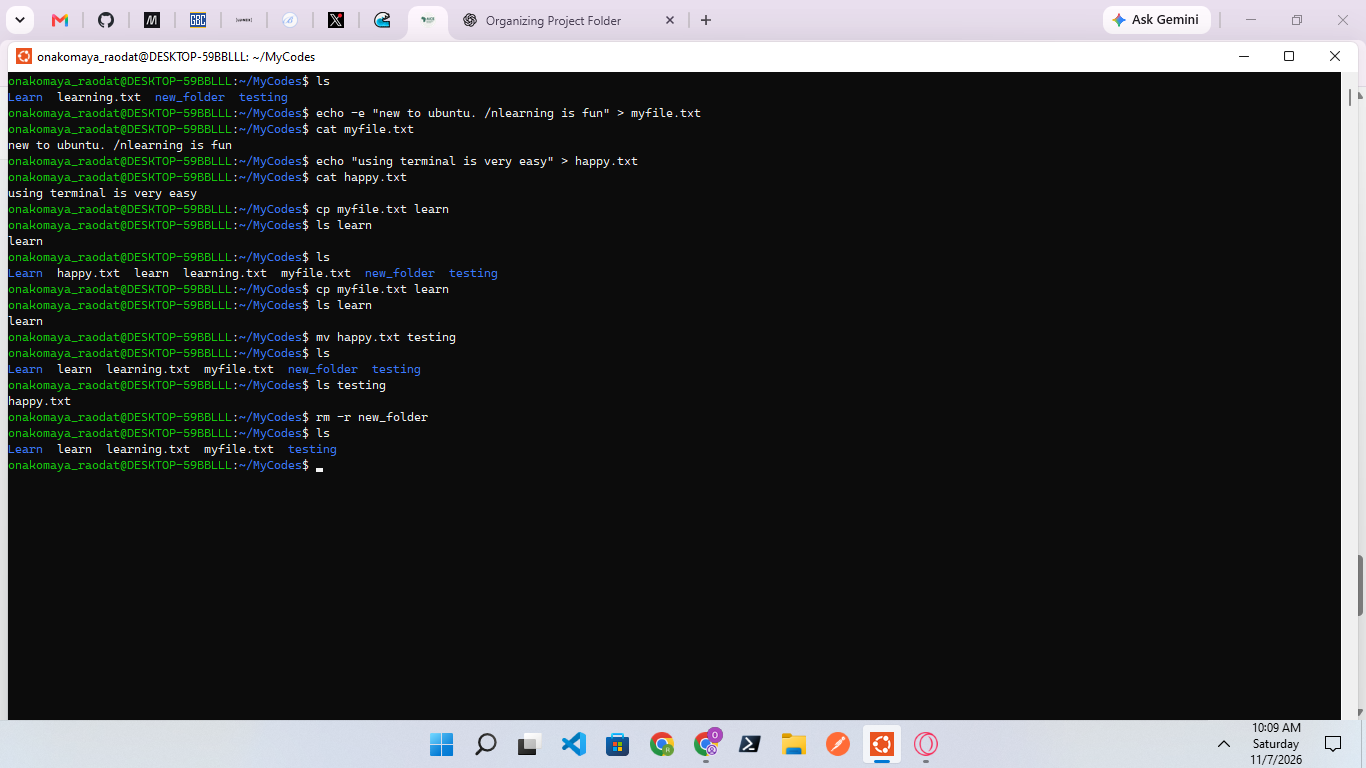
I used ls to view the folders and files in my parent directory. I used echo -e to create myfile.txt with content and cat to view it. I also created an empty file named happy.txt using echo and checked it with cat. I practised using cp to copy myfile.txt into the learn directory, mv to move happy.txt into the testing directory, and rm -r to remove the new_folder directory. Finally, I used ls to confirm the changes.
What I Learned: I learned how to use cp, mv, rm -r and rm to copy, move, and remove files and directories, as well as how to navigate and manage files and folders in the terminal.
56
No comments yet. Be the first to comment.