
My First File in Vim
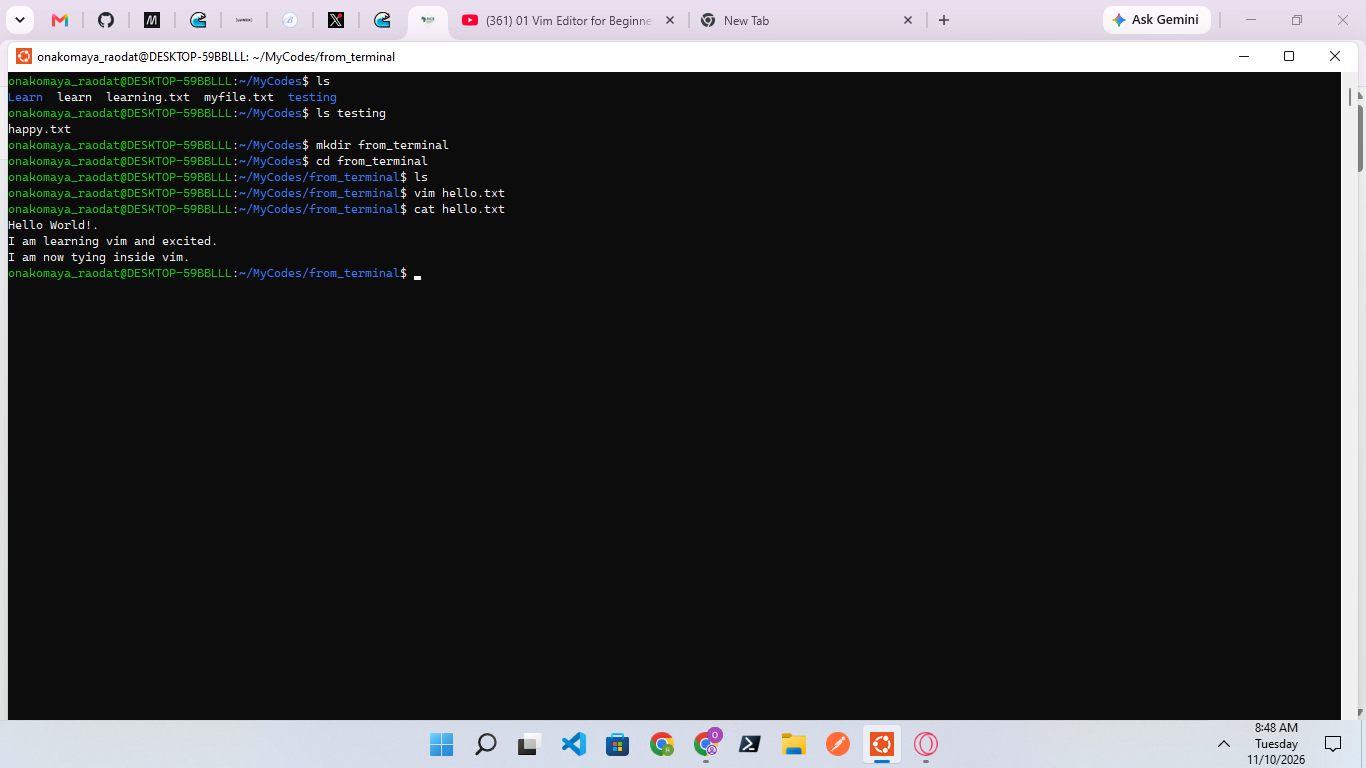
I used vim --version to check if Vim was already installed on my system, and I confirmed that it was. I then navigated into my mycodes directory and created a from_terminal folder to store all my Vim work. I used vim hello.txt to create a new file. After entering Vim, I pressed I to switch to insert mode and typed my content. I pressed Esc to return to command mode and used :wq to save and quit. Finally, I returned to the terminal and used cat to view and confirm the contents of my file.
I learned how to check if Vim is installed, create and edit files, switch between insert mode and command mode, save and exit using :wq, and use the cat command to verify my saved file's contents.
35
No comments yet. Be the first to comment.