My First File in Vim
I practised creating and editing a file using Vim.
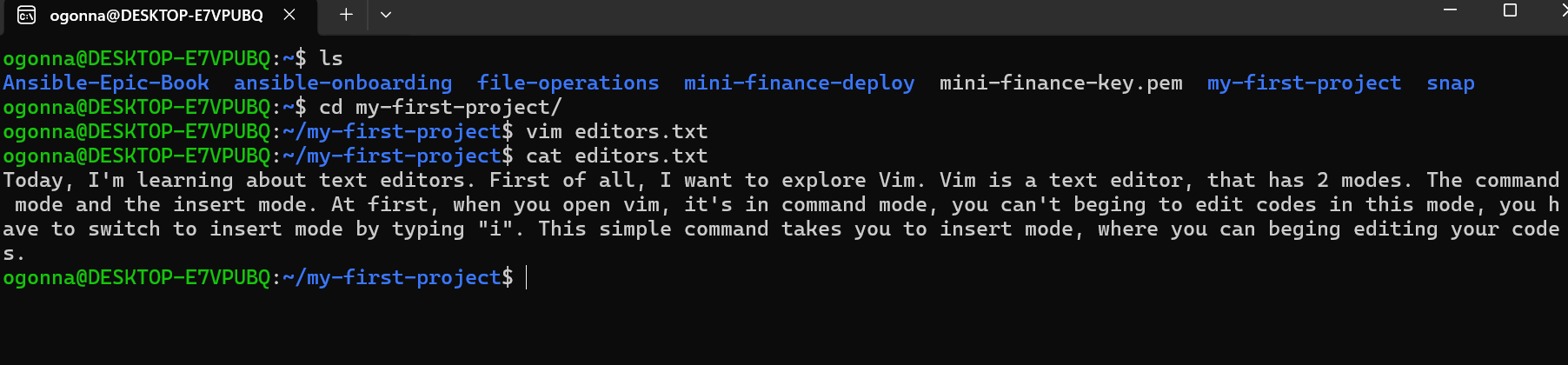
First, I used ls to check the folders in my home directory. Then I used cd my-first-project/ to enter my project folder. Next, I typed vim editors.txt to create and open a new file.
I pressed i to enter insert mode and wrote the following reflection:
"Today, I'm learning about text editors. First of all, I want to explore Vim. Vim is a text editor, that has 2 modes. The command mode and the insert mode. At first, when you open Vim, it's in command mode; you can't begin to edit code in this mode. You have to switch to insert mode by typing "i". This simple command takes you to insert mode, where you can begin editing your code".
After writing, I pressed Esc to return to command mode, then typed:wq to save and quit Vim.
Finally, I used cat editors.txt to display the file content and confirm that everything was saved successfully.
What I learned is how to move between insert mode and command mode, write text, save a file and check its content using the terminal.
It was a good hands-on experience, and I am getting more comfortable using Vim. One step at a time!