Finding My Way Around the Terminal
I practised navigating the Linux file system using some basic terminal commands.
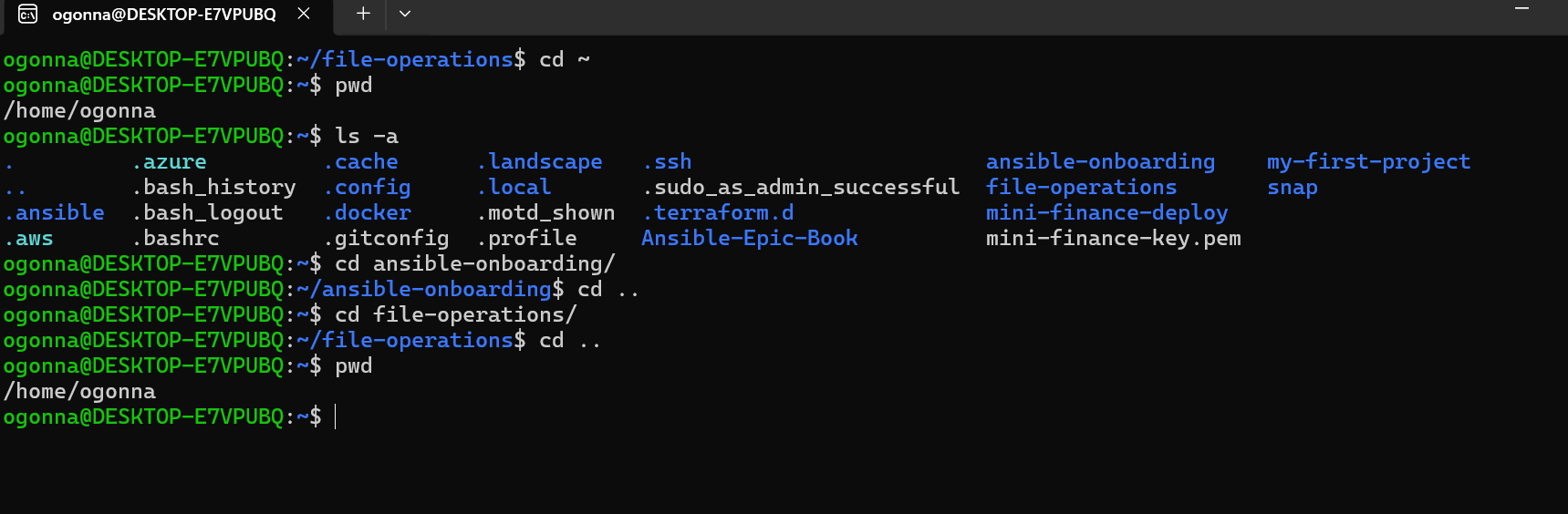
I started by using pwd to display my current location. It showed /home/ogonna, which is my home directory.
Next, I used ls -a to list all the files and directories, including hidden ones. I was able to see files like .bashrc, .ssh, and .docker, which I wouldn't normally see with a regular directory listing.
After that, I used cd to enter two different directories: ansible-onboarding and file-operations.
I also used cd .. to move back to my home directory and finally used pwd to confirm that I had returned to my starting location.
Here is what I learned:
- pwdshows my current location.- lslists files and directories.- ls -adisplays hidden files and directories too.- cdhelps me move between directories.- cd ..takes me one level up.- ~represents my home directory.
One thing I learned from this exercise is that understanding paths makes it easier to move around the Linux file system without getting lost.
I'm gradually becoming more comfortable using the terminal and understanding how Linux organises files and directories.