Organizing My First Project Folder
Stepping away from the mouse and into the terminal felt intimidating at first, but today marked a major milestone in my journey with the AiCE Software Engineering Foundations program! 💻
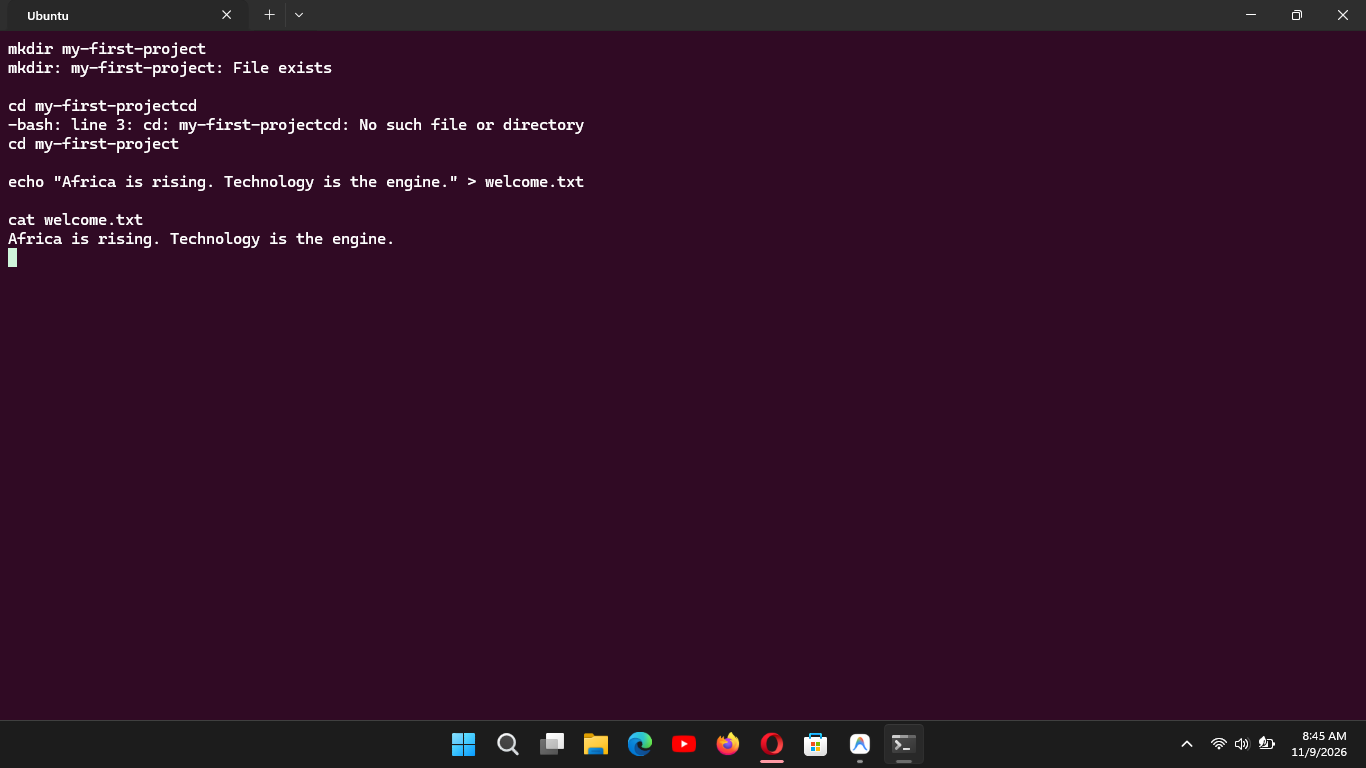
Here is a breakdown of what I executed in the terminal today and what each command does:
1.mkdir(mkdir my-first-project): Used to create a brand-new directory (folder). I followed standard terminal naming conventions by using hyphens instead of spaces.2.cd(cd my-first-project): "Change directory" — moved me directly into the newly created project folder, updating my terminal prompt to reflect where I am.3.echo(echo "Africa is rising. Technology is the engine." > welcome.txt): Usedechocombined with the output redirection operator (>) to generate a new file namedwelcome.txtand write content straight into it without needing a graphical text editor.4.cat(cat welcome.txt): Stands for "concatenate," which printed out the exact contents of the file directly onto the terminal screen.
#mkdir #echo #cat #learned