Practicing File Operations in the Terminal
This practical exercise was interesting because it introduced me to different ways of managing files and directories using Linux commands.
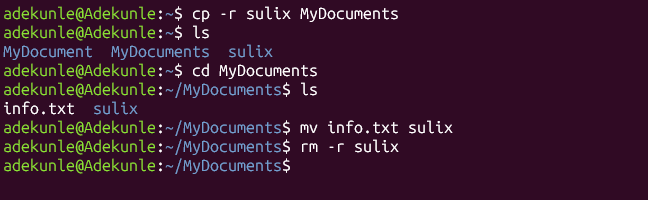
I started by using cp -r sulix MyDocuments to copy the sulix directory and all its contents into MyDocuments. The -r flag allows directories to be copied recursively.
Next, I used cd MyDocuments to enter the directory and ls to view its contents.
After that, I used mv info.txt sulix to move the info.txt file into the sulix directory.
Finally, I used rm -r sulix to delete the sulix directory and everything inside it.
What I learned: I learned that cp is used to copy, mv is used to move, and rm is used to delete files and directories. I also learned how the -r flag helps perform operations on directories and their contents. 🤩
#cp #mv #rm #learned