Organizing My First Project Folder
Explanation of Commands and What I Learned
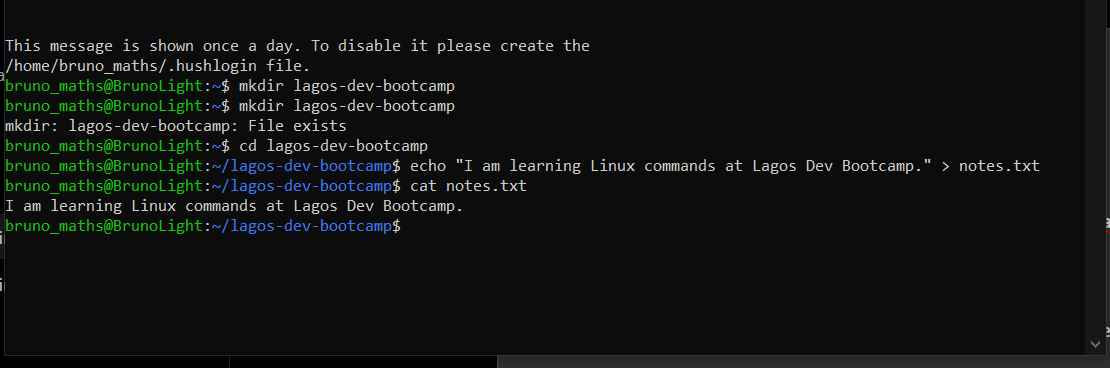
1. mkdir lagos-dev-bootcamp
This command created a new directory named lagos-dev-bootcamp.
2. cd lagos-dev-bootcamp
This command changed my current working directory, allowing me to enter the newly created folder.
3. echo "I am learning Linux commands at Lagos Dev Bootcamp." > notes.txt
This command created a text file named notes.txt and wrote the specified sentence into it. The > symbol redirected the output of the echo command into the file.
4. cat notes.txt
This command displayed the contents of the text file in the terminal.
What I Learned
I learned how to create directories, navigate between directories, create text files using the echo command, and display file contents using the cat command. I also learned how to use the > operator to redirect text into a file.