
Finding My Way Around the Terminal
What I Learned About Paths and File-System Navigation
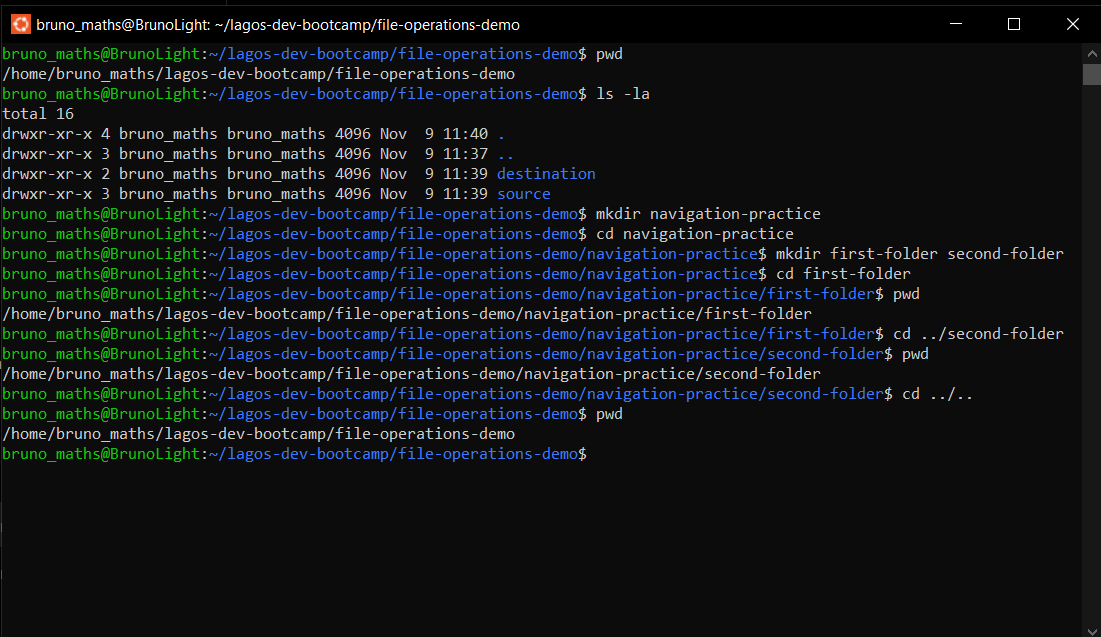
In this exercise, I learned how to identify my current location in the Linux file system using the pwd command. I used ls -la to display all directory contents, including hidden files and folders.
I also practised navigating between directories using the cd command. I learned that .. represents the parent directory and can be used to move one level up the directory structure. Finally, I used cd ../.. to return to my starting location.
This exercise helped me understand how Linux organises files and directories, how paths work, and how to move around the file system confidently.
62
No comments yet. Be the first to comment.