Comparing Vim and Nano: My Goals as a Developer
Comparing Vim and Nano: My Goals as a Developer
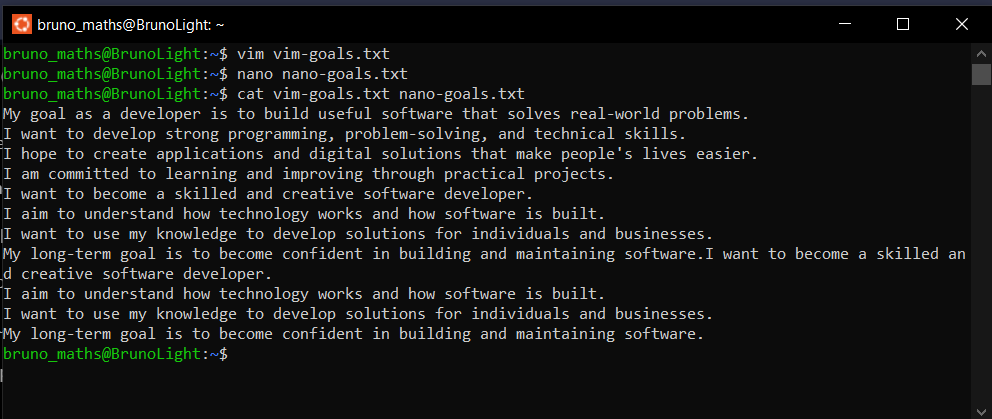
In this exercise, I created two separate text files containing my goals as a software developer. I used Vim to create and save vim-goals.txt, and Nano to create and save nano-goals.txt. After saving both files, I used the cat command to display and verify their contents.
Comparing Vim and Nano
1. Speed: Vim can be very fast once you become familiar with its commands and keyboard shortcuts. Nano is also quick for simple editing tasks because it allows you to start typing immediately.
2. Comfort: Nano was easier for me to use as a beginner because its keyboard shortcuts are displayed at the bottom of the screen. Vim required more time to understand because I had to learn how to switch between its different modes.
3. Suitable Use Cases: Nano is suitable for beginners and quick text-editing tasks, such as creating configuration files or making simple changes. Vim is more suitable for advanced editing, navigating large files, and users who want powerful keyboard-based editing features.
What I Learned
I learned that both Vim and Nano are useful terminal-based text editors, but they offer different editing experiences. Nano prioritises simplicity, while Vim provides more advanced editing capabilities.
As an aspiring developer, understanding both editors will help me become more comfortable working in Linux environments, managing files, and performing tasks directly from the terminal.