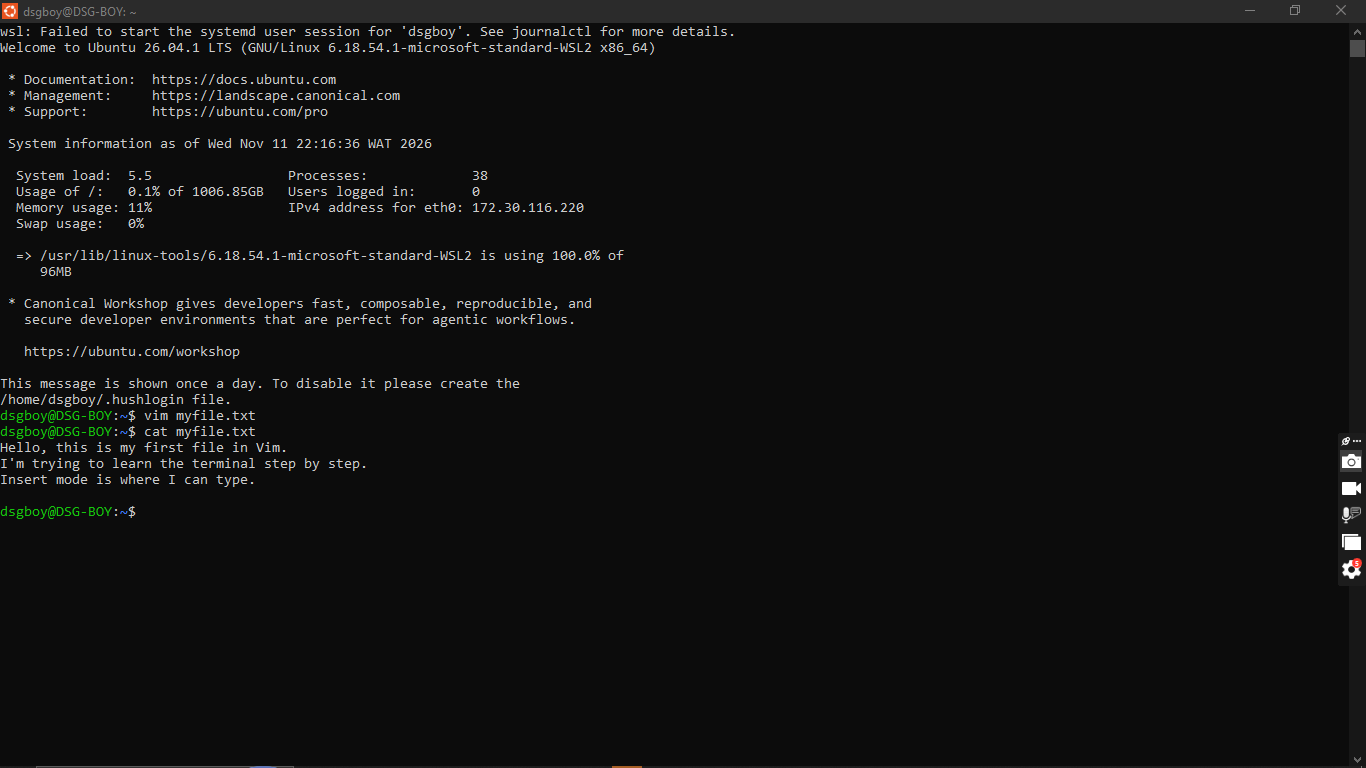
MY FIRST FILE IN VIM
Today I tried Vim for the first time. At first I opened it and got a black screen with a lot of ~ symbols and the title said [No Name]. I started typing and nothing worked the way I expected, so I couldn’t really get in. Later I found out that I had opened Vim on Windows instead of inside my Ubuntu terminal.
So I closed it, opened Ubuntu, and typed vim myfile.txt. This time the file had a name. I pressed i to go into Insert Mode and I could finally type. I wrote three lines, then pressed Esc to go back to Command Mode, typed :wq to save and quit, and ran cat myfile.txt. My three lines showed up, so it worked.
What I learned about Vim is that it has modes. Command Mode is where you give instructions like save and quit, and Insert Mode is where you type text. The same key does different things depending on the mode, and that was the part that confused me at first. You also have to press Esc before you can save.
#vim #insertmode #learned