FINDING MY WAY AROUND THE TERMINAL
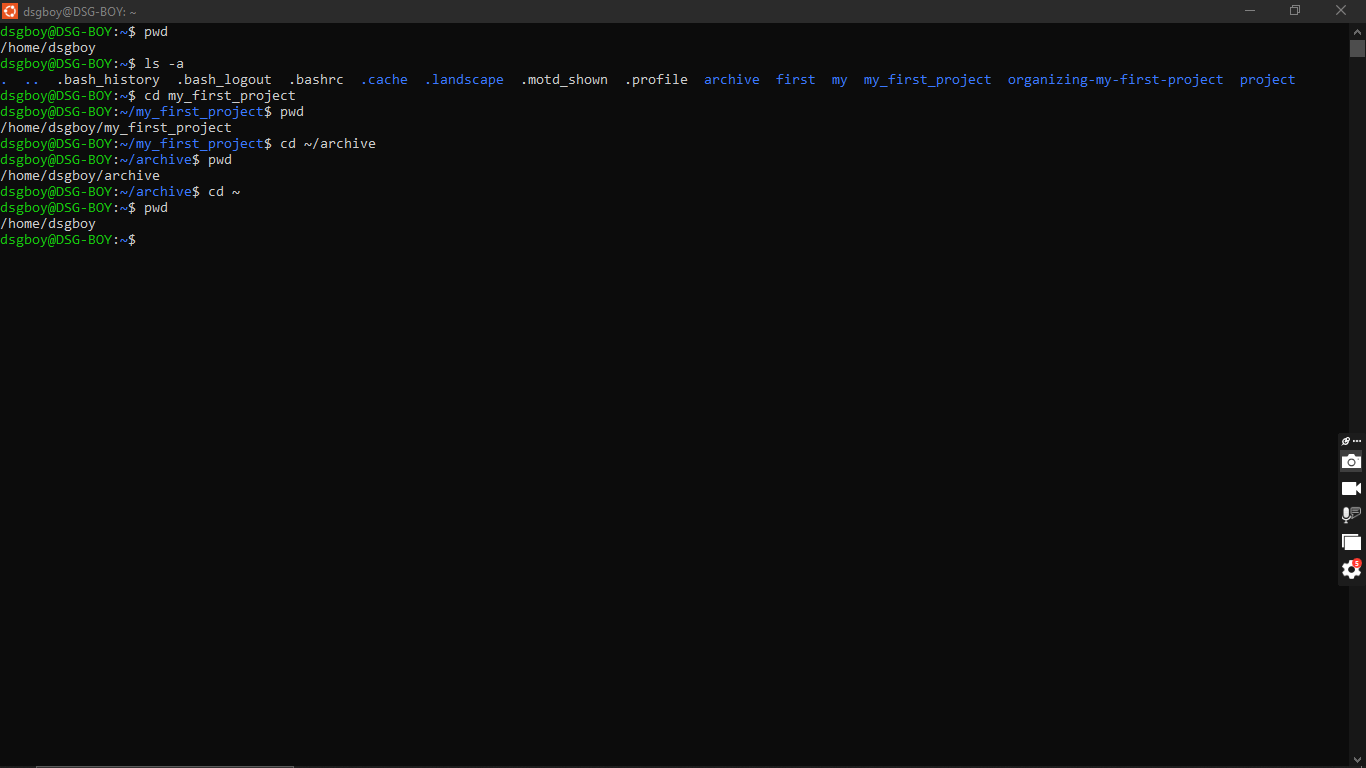
This task was about moving around the Ubuntu terminal, almost like walking between rooms in a building. The goal was to check where I was, see everything in a folder (even the hidden stuff), and travel between folders before coming back to where I started.
I began with pwd. pwd tells me exactly where I’m standing, and it printed /home/dsgboy/ my home folder. Next I ran ls -a. ls lists what’s inside a folder, and the -a flag makes it show hidden files too. These are files whose names start with a dot, like .bashrc and .profile, and a normal ls skips them. After that, I used cd to walk around. I ran cd my_first_project and used pwd to confirm I had moved, then cd ~/archive and checked with pwd again. Finally I ran cd ~ to return home, and pwd showed /home/dsgboy, so I knew I was back at my starting point.
What I learned is that a path is just an address for a folder, and pwd is the easiest way to check where I am when I feel lost. I also learned that hidden files really exist but only show up with ls -a, and that ~ is a shortcut that takes me straight home from anywhere. Moving around felt confusing at first, but running pwd after each cd made it easy to follow.
#pwd #ls #cd #learned